These small, affordable devices let patients carry their own records to any appointment and give healthcare organizations a fast way to transport imaging files, training content, or intake paperwork. This guide covers why healthcare is adopting USB drives, what features actually matter, the top use cases, HIPAA-related security practices, and how to get custom-branded drives made for your organization.
Key Takeaways
- A single paper chart with no backup remains a top failure point in patient recordkeeping.
- USB 3.0 or higher matters most when transferring large imaging files like MRI or CT scans.
- Encryption, not the drive itself, determines whether a device supports HIPAA compliance.
- Biometric drives add convenience but aren't a substitute for encryption and access controls.
- Custom-branded, serialized USB drives help hospitals track distribution for training and compliance audits.
What Is a Medical USB Flash Drive?
A medical USB flash drive is a standard USB drive set up, labeled, or loaded specifically for health-related content. That could mean an encrypted drive holding a patient's personal health record, a preloaded drive full of compliance training modules, or a high-capacity drive built to carry diagnostic imaging files.
Quick clarification: "flash drive," "USB drive," and "thumb drive" all refer to the same piece of hardware—just different common names for the same portable USB storage device.
In healthcare specifically, these drives tend to fall into two broad categories:
| Category | Typical User | Common Content |
|---|---|---|
| Personal-use drives | Individual patients | Personal health records, allergy lists, emergency contacts |
| Institutional-use drives | Hospitals, imaging centers, corporate training programs | Diagnostic imaging files, compliance training modules, bulk patient records |
The distinction matters because the features that make sense for one don't always make sense for the other. A patient carrying a single PDF of their medical history doesn't need the same capacity or NAND grade as a radiology department shipping out CT scans all day.
Why Healthcare Organizations and Patients Are Adopting USB Drives
The Legal and Practical Case for Personal Copies
Under federal regulation, patients have a legal right to inspect and obtain a copy of their protected health information, including an electronic copy when one can reasonably be produced (45 CFR 164.524). Providers generally have 30 days to fulfill that request.
A personal medical USB drive is one of the most practical ways to exercise that right and keep the information on hand for the next appointment, ER visit, or specialist referral.
Paper Isn't the Only Vulnerability: The Case for Offline Backups
Paper-only recordkeeping has an obvious weakness: one folder, no backup. If it burns, floods, or gets misplaced, that history is gone. Digitizing that same information onto a USB drive doesn't just make it portable, it makes it recoverable.
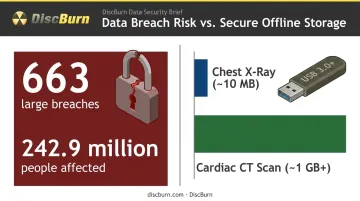
Paper isn't the only risk, though. Network-based breaches remain the dominant threat in healthcare data security, and in CY2024, HHS recorded 663 large breaches affecting roughly 242.9 million people, with hacking and IT incidents responsible for 81% of reports and 99% of affected individuals (HHS Breach Report to Congress, 2024).
That concentration of risk on networked systems is exactly why a controlled, offline USB copy still has a place, even though it's not risk-free itself. A misplaced drive is a real problem too, just a different kind of problem than a hacked server.
Imaging Files Need Fast, High-Capacity Storage
Storage capacity matters too, especially for imaging files. A single chest X-ray file might run around 10 MB, but a cardiac CT scan can reach 1 GB or more (peer-reviewed imaging review, 2017). Moving files that size requires both capacity and speed, which is where USB 3.0+ drives with quality NAND flash outperform older 2.0 drives by a wide margin.
Key Features to Look for When Choosing a Medical USB Flash Drive
Not every drive needs the same specs. Matching the drive to its job matters more than chasing the biggest number on the box.
Storage capacity:
- A few GB is plenty for text-based records, intake forms, or emergency contact sheets
- 32GB to 256GB+ makes sense for imaging-heavy files like MRI, CT, or DICOM datasets
- Size the drive to the actual use case, not a generic "bigger is better" assumption
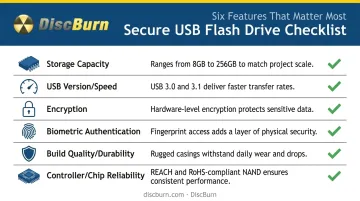
USB version and speed: USB 2.0 tops out around 480 Mbps. USB 3.0/3.1 Gen 1 jumps to 5 Gbps, and Gen 2 reaches 10 Gbps. For anything imaging-related, 3.0 or higher isn't optional; it's the difference between a quick handoff and a frustrating wait.
Data security features:
- Software encryption tools (like BitLocker To Go) can apply AES-128 or AES-256 protection to a removable drive
- Hardware-based encryption, built into the drive's own controller, adds a layer that doesn't depend on the receiving computer's software setup
- FIPS 140-2 validated drives meet the encryption standard many healthcare compliance programs require for protected health information
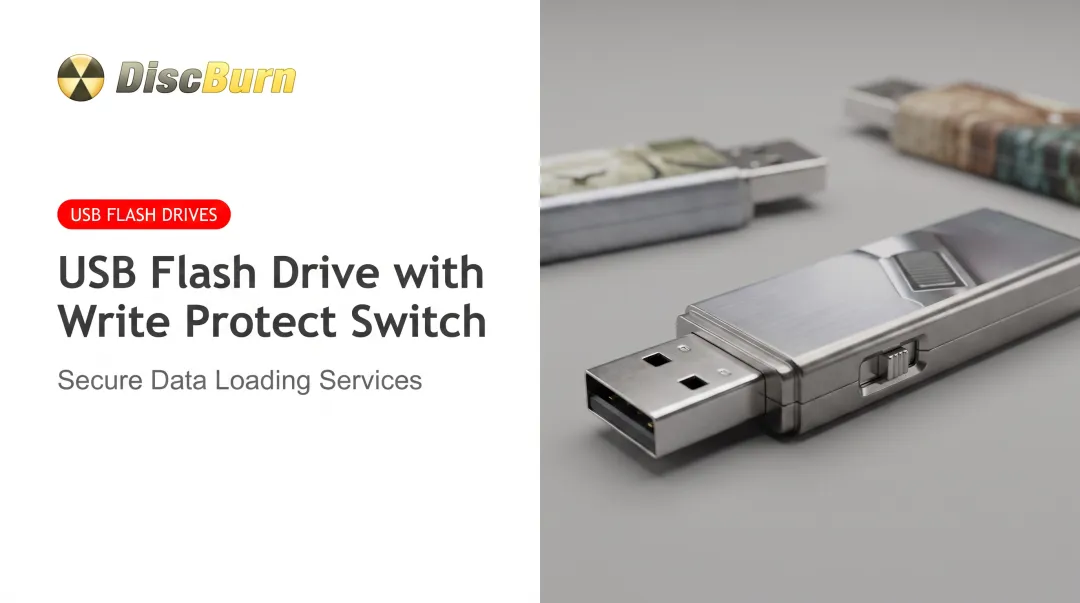
Biometric authentication: Some premium drives include a built-in fingerprint scanner, unlocking in under a second and storing multiple authorized prints. It's a convenient extra layer, but manufacturers themselves are upfront that fingerprint locks can be bypassed and aren't a standalone guarantee of security. They're also sometimes limited to specific operating systems.
Build quality and durability: Rugged, water- and shock-resistant casings matter for drives that live on a keychain or travel through a clinical setting daily. A drive that survives a drop is worth more than one that just looks sleek.
Controller and chip reliability: Two drives with the same advertised capacity can perform very differently depending on the NAND grade and controller inside. Sourcing from a manufacturer that tests components before mass production, rather than one that just slaps a capacity number on the packaging, matters more than most buyers realize. DiscBurn, for example, sources REACH/RoHS-compliant NAND for its custom-loaded USB drives instead of using whatever chips happen to be cheapest that week.
Top Use Cases for Medical USB Flash Drives
Personal Health Records & Emergency Information
Personal health records come in two flavors: standalone, where the patient enters and manages the information themselves, and tethered, where the data pulls from a provider's system. A USB drive works well for either, letting patients carry an updated snapshot of allergies, medications, and emergency contacts to any appointment, urgent care visit, or new specialist.
Medical Imaging & Diagnostic File Transfer
Imaging centers and radiology departments rely on high-capacity, high-speed drives to hand imaging studies directly to patients or referring physicians. Given that a single CT exam can run several hundred megabytes to a full gigabyte, a USB 3.0+ drive with real capacity headroom is the baseline for a smooth handoff.
Corporate Compliance & Staff Training Programs
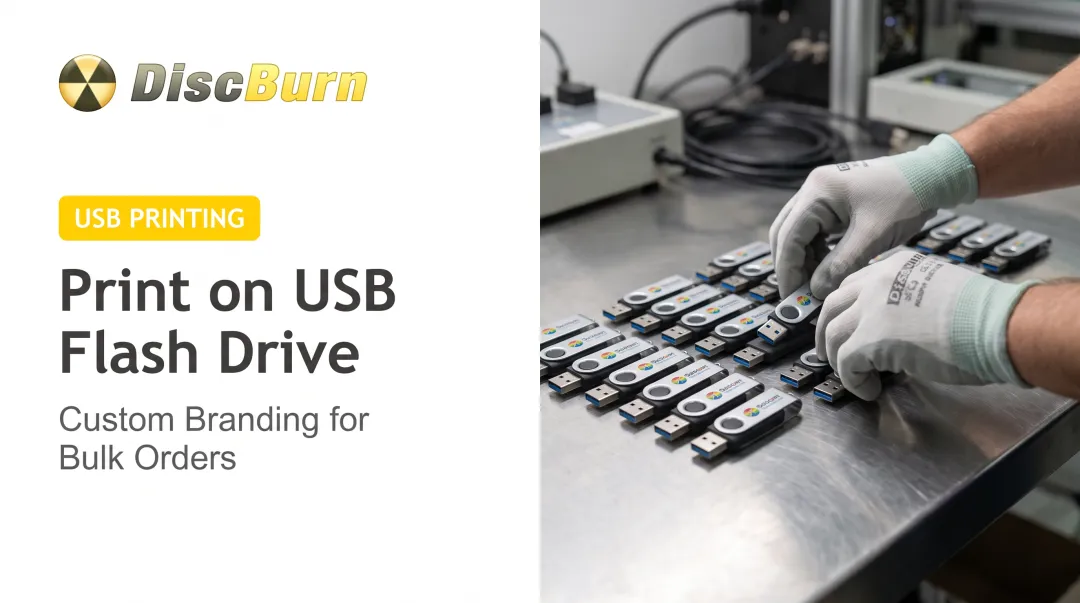
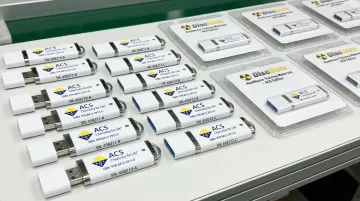
Hospitals and healthcare companies use serialized, trackable drives to distribute required training content and confirm who completed it. DiscBurn prints each drive with its own serial number during production, giving compliance teams an actual paper trail (or in this case, a USB trail) for audits.
Patient Engagement, Onboarding & Marketing
Clinics, dental offices, and wellness practices often preload branded drives with intake forms or educational material and hand them to new patients. It's a small touchpoint, but it solves a real need: giving patients something tangible and useful instead of a generic welcome packet.
Data Security and HIPAA Compliance Best Practices
A few habits go a long way toward protecting what's on a medical USB drive:
- Always encrypt the contents. Never rely on cloud sync alone to protect data that also lives on a physical drive.
- Keep a non-encrypted emergency note. Store contact information on paper or a second device in case the password holder is unavailable.
- Label or tag the drive. Attach it to a keychain or medical ID bracelet to reduce the risk of loss, since small drives are easy to misplace.
According to the HHS Office for Civil Rights breach portal, a 2024 incident involving a single misplaced USB drive affected over 4,000 patients. Portability adds convenience, but it also raises the risk of loss. Treat the drive itself as a security layer, not just a storage container.
Custom Printed Medical USB Drives from DiscBurn
DiscBurn, based in Minneapolis, Minnesota, produces custom logo-printed USB drives in-house alongside CD/DVD duplication and flash card services. That makes it a one-stop option for healthcare organizations that need media handled without outsourcing to multiple vendors.
A few specifics worth knowing:
- 24-hour turnaround is available on select custom printed USB drives, useful for time-sensitive patient handouts, conference giveaways, or a compliance rollout with a hard deadline
- Serialized printing helps hospitals and clinics track distribution for training audits or compliance recordkeeping
- Volume flexibility runs from a 100-unit minimum order for USB drives up through enterprise-scale runs, with worldwide shipping from the Minneapolis facility
- REACH and RoHS-compliant NAND sourcing and locked Bills of Materials support the documentation many regulated healthcare buyers need for procurement
- Offline MD5 verification runs through an air-gapped Linux environment, adding an extra integrity check before drives ship
These specifications hold up in practice. DiscBurn has already worked with healthcare clients directly, including Ivinson Memorial Hospital, whose team described it as "great working with DiscBurn" on their media project.
Whether you're a single clinic ordering a few hundred drives for patient intake kits or a multi-location hospital system rolling out a compliance training program, the production process scales without switching vendors mid-project.
Frequently Asked Questions
What is the safest flash drive?
The safest options combine hardware-based encryption, a durable casing, and components from a reputable manufacturer. DiscBurn can help source and customize drives using REACH/RoHS-compliant NAND components for added consistency and reliability.
What is a biometric flash drive?
It's a USB drive with a built-in fingerprint scanner that only grants access to authorized users. These drives tend to be pricier than standard drives and are sometimes limited to specific operating systems.
Is there a difference between a flash drive and a USB drive?
No, these terms describe the same portable USB storage device. "Thumb drive" and "pen drive" are other common names for the same hardware.
How much storage capacity do I need for medical records or imaging files?
A few GB covers text-based records comfortably. Imaging files like MRI or CT scans typically call for 32GB or more due to their larger file sizes.
Are USB flash drives HIPAA compliant?
USB drives aren't automatically "HIPAA compliant" on their own. Compliance depends on how the covered entity encrypts, stores, and controls access to the data on that drive.
How long do medical USB flash drives typically last?
Flash memory can handle thousands of write and erase cycles, often lasting many years of typical use. The physical USB connector itself has a more limited number of insert-and-removal cycles before wear becomes an issue.