What types of film can be scanned?
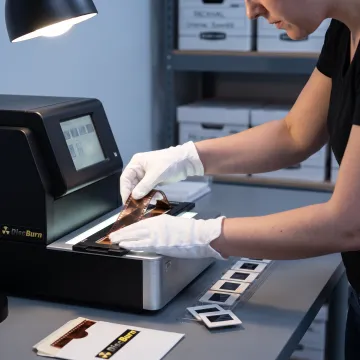
Film scanning commonly includes mounted slides, loose negatives, film strips, and motion-picture film prepared for digital conversion. Before sending a collection, separate items by type and keep related images or reels together. This makes it easier to define the desired output and organization. DiscBurn can review your project goals and help determine the most appropriate media-handling approach for your materials.
Why should I digitize old film?
Digitizing film creates accessible copies that are easier to view, organize, share, edit, and protect from everyday handling. Physical film can be vulnerable to scratches, fading, moisture, heat, and misplaced storage. Digital files give you a practical working copy while allowing the originals to remain stored safely. They also make it easier to build albums, presentations, videos, or searchable archives.
How should I prepare film for scanning?
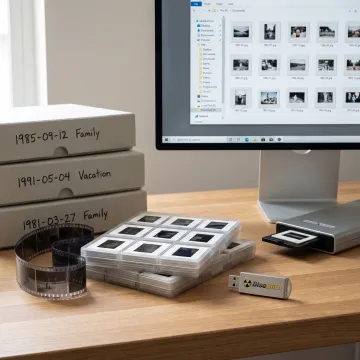
Keep film in its existing order and place slides, negatives, or reels in protective sleeves, boxes, or labeled bags when possible. Avoid writing directly on film and do not use tape on the image area. Include clear notes about grouping, filenames, or priority materials. If items are fragile, damaged, or unusually formatted, identify them before shipment so handling requirements can be reviewed.
Will scanning improve damaged or faded film?
Scanning preserves what is present on the original film and can provide a better foundation for viewing or editing. Basic digital adjustments may help with orientation, exposure, or overall presentation, while significant scratches, fading, mold, tears, or missing image information require more extensive restoration. It is useful to identify important damaged items early so you can discuss realistic restoration expectations and available editing needs.
What digital file format will I receive?
The best file format depends on how you plan to use the scans. Standard image files are convenient for everyday viewing and sharing, while higher-quality files may be better for editing, enlargements, or long-term archival workflows. For motion content, the preferred format depends on playback and editing needs. Define your intended use before production so file delivery can support your project goals.
How long does a film scanning project take?
Turnaround depends on the quantity, film condition, required organization, selected file outputs, and whether editing or restoration is requested. Projects with clearly labeled materials and straightforward delivery requirements are generally easier to process efficiently. DiscBurn is known for fast media-production workflows, but a realistic schedule should be established after the collection and scope have been reviewed rather than assumed in advance.
Can I ship my film to DiscBurn?
Yes. DiscBurn serves customers beyond its Minneapolis location and ships worldwide, making mail-in media projects a practical option. Package film securely in protective materials, use a sturdy shipping box, and include contact information plus project instructions inside. For valuable or irreplaceable collections, consider a trackable shipping method and retain a written inventory of the contents before sending.
Can scanned film be used in a video or presentation?
Yes. Once film is converted into digital files, it can be organized for slideshows, presentations, social media, documentaries, family-history projects, and edited video. DiscBurn also offers video editing services for clients who want to combine legacy visual materials into a more finished production. Plan the final use early so file formats, naming, and sequence can be prepared appropriately.